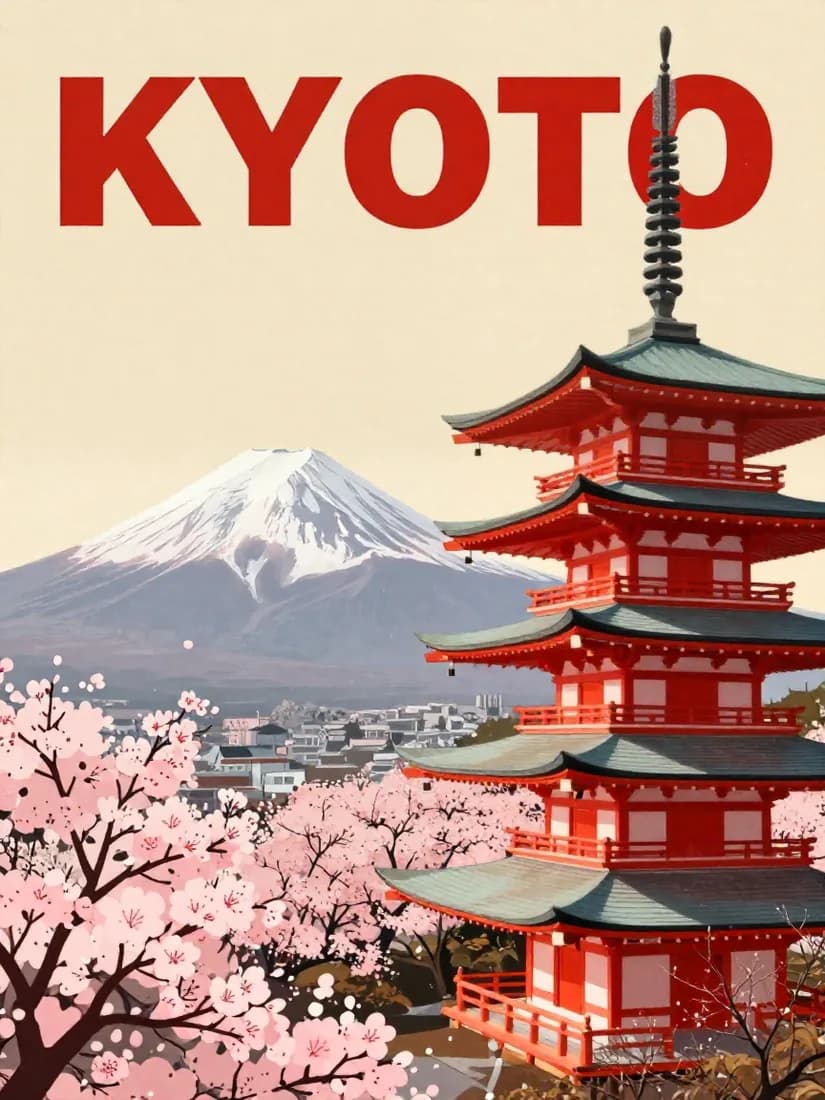
AI Poster Generator That Writes Correct Chinese and English Text
Make posters with readable Chinese and English lettering on your own computer. Which model to use, prompt templates for event, product and travel posters, and how to fix a wrong word.
The usual problem with an AI poster generator is not the picture. It is the words. You ask for "Summer Night Market" and get "Sumer Nihgt Makret", or a row of shapes that look like Chinese characters but are not. For a poster, that ruins the whole thing.
This guide shows how to make posters with correct Chinese and English text using Local AI Image, the image part of the open-source desktop app TopLocal Studio. It runs on a Mac or Windows PC, offline, with no account and no credits. We will cover which model to use, how to write poster prompts, templates you can copy, and what to do when one word comes out wrong.
Why AI posters often get text wrong
Many image models learned lettering as texture: they know roughly what text looks like, not what it says. Longer words, less common words and Chinese characters, with their many strokes, suffer most.
Newer models trained with text rendering in mind do much better. In Local AI Image, Z-Image-Turbo is the one to use for posters. It has the most accurate Chinese and English lettering of the models in the app, handles both languages in the same image, and its Apache-2.0 license allows commercial use of what you create. You can read more about the model in Z-Image-Turbo: how to run it locally.
What you need
- An Apple Silicon Mac with 16 GB of memory, or a Windows 10/11 x64 PC with a Vulkan-capable GPU and a recent driver.
- About 5.5 GB of disk space for Z-Image-Turbo.
- An internet connection once, to download the app and the model. After that, everything runs offline and your drafts stay on your computer.
On an Apple Silicon Mac, one poster of about one megapixel takes around 40 seconds, so you can try several versions of a layout in a few minutes.
How to make a poster with correct text
- Install the app from the homepage and open the image module.
- Choose Z-Image-Turbo. It is the recommended model and downloads once.
- Pick the "poster" style chip and a portrait aspect ratio: 3:4 for a printed poster or flyer, 9:16 for a phone screen or story, 16:9 for a banner or slide.
- Write the prompt using the structure below, with every word of text in quotes.
- Generate, then read every word. If the picture is right but one word is wrong, generate again with the same prompt or fix the word with an edit (see below).
A prompt structure that works for posters
Think of the prompt in four parts:
- Type of poster: "concert poster", "tea shop promotion poster", "retro travel poster", "movie poster".
- Main image: what is in the picture and where it sits. "A glass of lychee oolong tea on a celadon plate, in the center".
- Text, in quotes, with position and style:
large brush-calligraphy headline "荔枝乌龙" at the top, small line "夏日限定" below. - Look and color: "ink-wash mountains in the background, pale green and white, high-end commercial photography".
A full example:
Chinese tea shop poster, a glass of lychee oolong tea on a celadon plate in the center, soft ink-wash mountains behind it, large brush-calligraphy headline "荔枝乌龙" at the top, small text "夏日限定 · 冰爽上市" at the bottom, high-end commercial photography.
Poster prompt templates you can copy
Replace the words in quotes with your own.
Event poster (English)
Poster for an outdoor night market, string lights over food stalls and a crowd at dusk, bold sans-serif headline "SUMMER NIGHT MARKET" at the top, smaller text "Every Friday · 6 PM" at the bottom, warm orange and deep blue colors.
Travel poster
Retro travel poster of Kyoto, a red pagoda among pink cherry blossoms with a mountain in the distance, bold headline "KYOTO" at the top, flat vintage illustration, warm paper texture.
Product launch (bilingual)
Minimal product poster for a white running shoe floating above a glossy surface, pastel gradient background, headline "轻 · 快" in large bold Chinese type at the top, English subtitle "Light and Fast" below it, clean studio lighting.
Festival poster (Chinese)
国潮风插画海报,一只戴墨镜的醒狮在霓虹城市里跳舞,大字写着"新春快乐",红金配色,潮流街头风格。
Bookshop or café sign
A small bookstore storefront on a rainy evening, warm light from the windows, a hand-painted sign above the door reading "The Midnight Library", a chalkboard on the sidewalk saying "Open Late", photorealistic.
Tips for correct lettering
- Quote the exact text. The quotation marks tell the model these are the words to write, not a description.
- Keep it short. A headline of one to six words plus one short line is the sweet spot. Long paragraphs and fine print are still unreliable.
- Say where the text goes. "At the top", "centered at the bottom", "on the sign above the door".
- Describe the type. "Bold sans-serif", "elegant serif", "brush calligraphy", "neon letters", "hand-painted". This changes the feel of the whole poster.
- One language per line. A Chinese headline with an English subtitle works well; keeping each line in one language is usually more reliable.
- Leave room. Asking for "generous empty space at the bottom" gives you space to add details later in a design tool.
When one word is wrong: fix it with an edit
Sometimes the image is perfect except for one character. You do not have to start over. Switch to FLUX.2 klein, upload the poster, and describe the fix:
Change the text on the sign to read "Morning Bakery", keep everything else the same.
This works for shop signs, headlines and labels. FLUX.2 klein 4B runs on 16 GB machines; klein 9B gives more precise edits with 24 GB of memory but has a non-commercial license. For more on editing, see how to run FLUX.2 klein on a PC or Mac.
Finishing the poster
An AI poster generator is best at the image and the headline. For a finished print piece:
- Add small details in a design tool. Dates, addresses, QR codes and legal lines should be typed, not generated, so they are exactly right.
- Check size before printing. Images come out at about one megapixel. That is fine for screens and social posts; for a large print, plan the layout with that in mind.
- Proofread. Read each word aloud, especially in Chinese, where one wrong stroke makes a different character.
Why make posters locally
- Your drafts stay private. Unreleased product names, event details and client work never leave your computer.
- Iterate without counting. No credits or queues, so trying twenty headline styles is just a matter of a few minutes.
- Commercial-friendly model. Z-Image-Turbo is Apache-2.0; the app shows each model's license before you download it.
For the basics of prompts, styles and aspect ratios, see how to generate and edit AI images offline.
FAQ
What is the best AI poster generator for Chinese text?
In Local AI Image, use Z-Image-Turbo. It is the most accurate model in the app for Chinese and English lettering. Put the characters in quotes and keep them short.
Can I use AI-generated posters commercially?
With Z-Image-Turbo and FLUX.2 klein 4B, yes; both are Apache-2.0. FLUX.2 klein 9B is non-commercial. Also make sure any logos, brand names or likenesses in your poster are ones you have the right to use.
Does the AI poster generator work offline?
Yes. After the one-time model download, posters are generated on your computer without an internet connection.
What aspect ratio should I use for a poster?
3:4 for printed posters and flyers, 9:16 for phone screens and stories, 16:9 for banners and slides, 1:1 for square social posts.
Why is one character still wrong?
Text rendering is much better than it used to be, but not perfect. Generate again, shorten the text, or fix the word with a FLUX.2 klein edit.
Author

Categories
More Posts
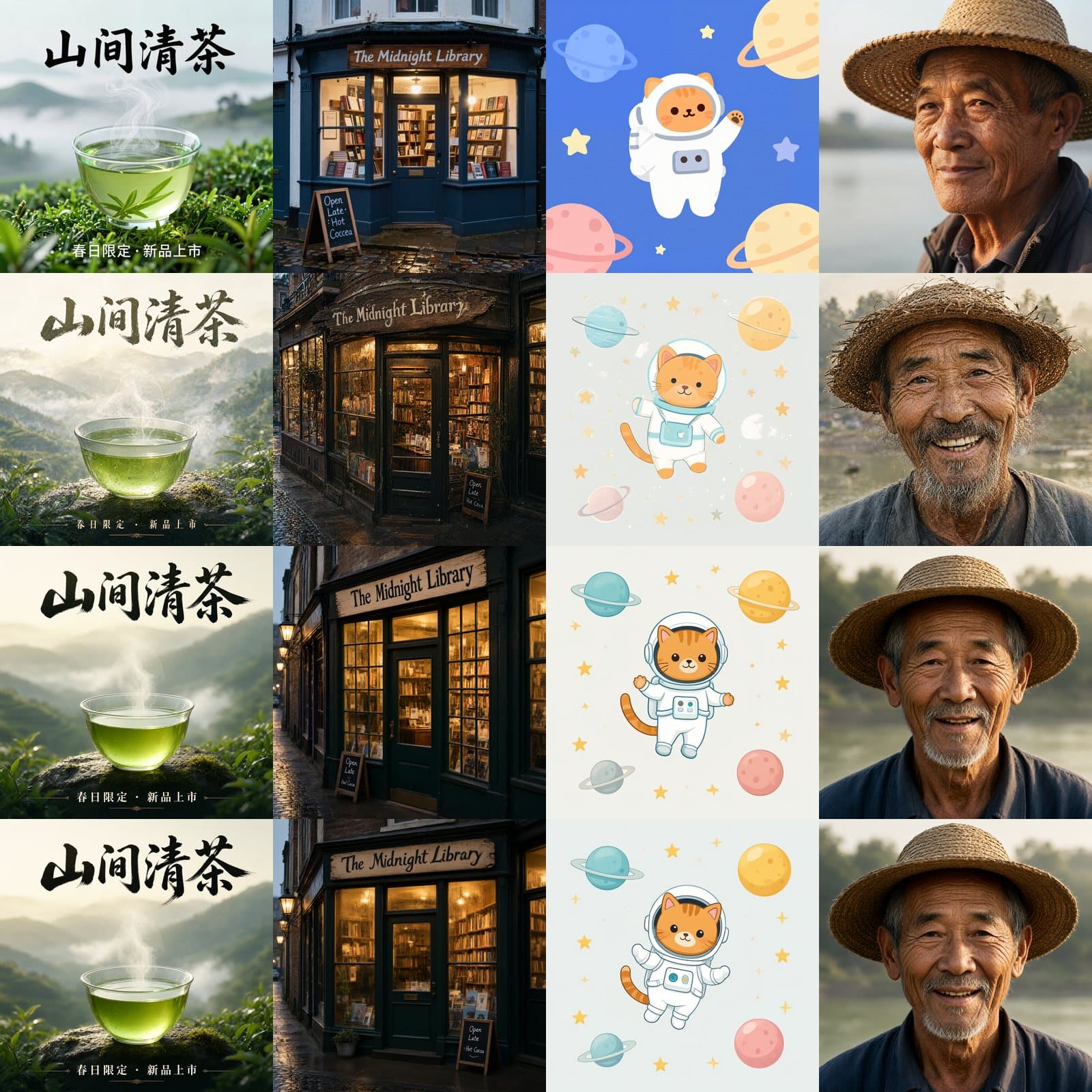
Uncensored AI Image Generator, Local and Free: Qwen-Image 2.1 Turbo Tested
Looking for an uncensored AI image generator with no filter? Run Qwen-Image 2.1 Turbo locally and free on Mac or Windows. We tested speed, quality and what 'uncensored' really changes.
How to Run Stable Diffusion Locally in 2026
Run Stable Diffusion locally in 2026: which model to download (SD 1.5, SDXL, SD 3.5), which interface to use (ComfyUI vs AUTOMATIC1111, Forge, Fooocus), hardware needs, and newer local options.
Nano Banana Alternatives: Open-Source Models You Can Run Yourself (HiDream, Qwen-Image-Edit, FLUX.2 klein)
Looking for an open-source Nano Banana alternative? Compare HiDream, Qwen-Image-Edit, Qwen-Image-2.1 and FLUX.2 klein: what each does, licenses, hardware needs and how to run them locally.
Newsletter
Join the community
Subscribe to our newsletter for the latest news and updates